
Construction Master 5 Calc
Calculated IndustriesTools
4.7526.00 Reviews
- Version
- 10.20.18
- Installs
- 100.00K
- Age Rating
- Everyone
Screenshots
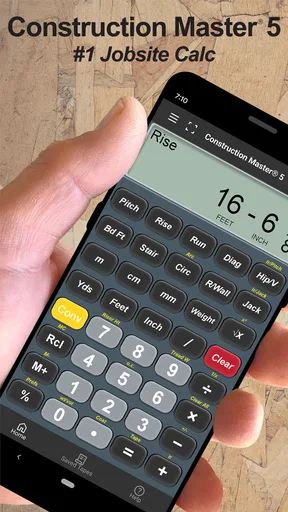
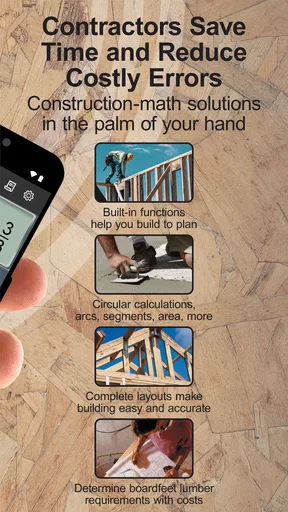
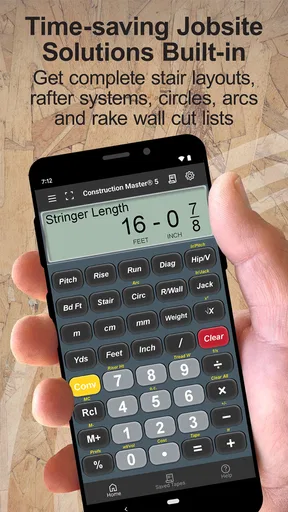
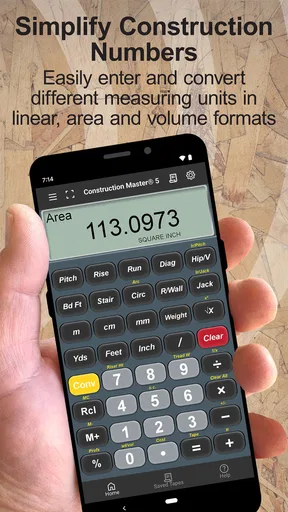
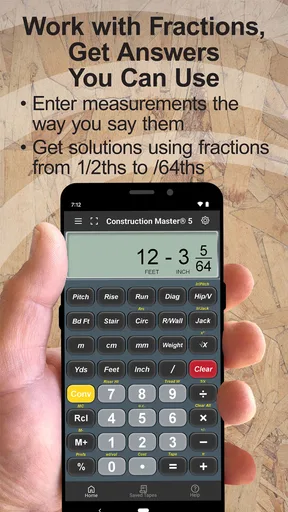
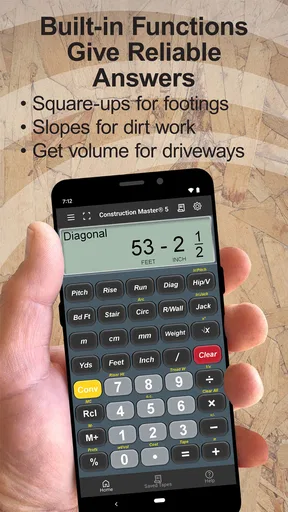
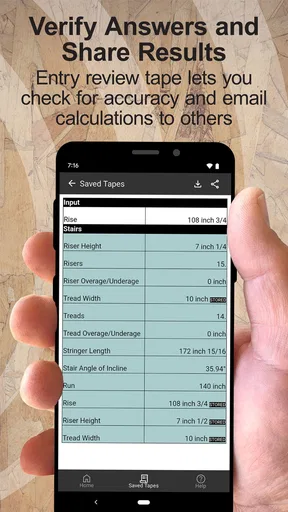
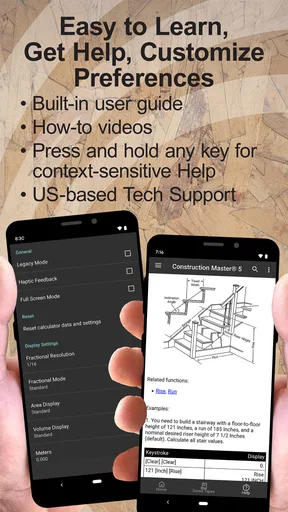
Our Review of Construction Master 5 Calc
 Analysis by Appyee
If you work with dimensions, quantities, or material estimates, a standard phone calculator can feel surprisingly limiting. Construction Master 5 Calc is built for the moments when feet, inches, fractions, areas, volumes, and project math need to stay together instead of being converted by hand. I found it most useful as a focused job-site tool: less general than a normal calculator, but much better suited to construction-style calculations.
The app comes from Calculated Industries and sits in the Tools category. It is free to install, rated for Everyone, and has earned a 4.7 average from around 3,500 ratings. That combination makes it easy to try without committing money immediately, although the presence of in-app purchases means some parts of the experience may require an optional payment.
What to expect from this construction calculator
The main adjustment is mental: this is not simply a calculator with a construction-themed name. Its value comes from handling the way builders, remodelers, estimators, and do-it-yourself users actually describe measurements. Instead of treating every value as a decimal, I can work with dimensions in the form I would normally write them down, then use those values in a calculation.
That matters when a measurement includes feet, inches, and a fraction. On a regular calculator, I would have to convert everything into decimal feet, remember the conversion, and then convert the answer back into a practical measurement. That extra work creates opportunities for mistakes, especially when several dimensions are involved. A dedicated construction calculator keeps the calculation closer to the language of the project.
I would not describe the app as a complete project-management system. It is not where I would expect to organize a crew, store a full materials list, create drawings, or replace estimating software. Its strength is narrower and more useful: it helps me perform construction-related arithmetic without making every entry feel like a conversion exercise.
The store summary focuses on improving accuracy in building projects, and that is a fair way to understand the app. Accuracy here does not come from making decisions for me. It comes from reducing the small translation errors that happen between a tape measure, a notepad, and a basic calculator.
For a first-time user, the most important expectation is that the app rewards careful input. It can make the arithmetic easier, but it cannot tell whether I measured the wrong wall, entered a dimension in the wrong format, or confused inside and outside measurements. I still need to pause and check the result against the physical situation.
Who will get the most from it
I think it is a strong match for people who regularly calculate wall areas, floor coverage, concrete quantities, framing dimensions, trim lengths, or similar measurements. A contractor who already understands construction math will probably appreciate the speed. A homeowner doing one room renovation can benefit too, particularly when several fractional measurements have to be combined.
It is also useful for learners who are comfortable with a tape measure but less comfortable with construction formulas. The app can act as a practical bridge between the measurement and the answer. I would still learn what the calculation means rather than treating the displayed result as magic, because understanding the formula makes it easier to catch an implausible answer.
On the other hand, I would skip it if all I need is basic addition, a quick percentage, or a simple phone calculator. I would also look elsewhere if my main requirement is a shared project record, detailed estimating workflow, or a visual plan. The focused nature that makes this app convenient for dimensions also means it is not a universal replacement for every tool used on a building project.
Getting ready for the first calculation
The app is available for Android and requires Android twelve or later. It was released on August eighth, two thousand eleven, and the current version is 10.20.18. Those details suggest a long-running product rather than a newly assembled utility, but I would still check that the phone meets the minimum system requirement before expecting to use it.
Because the app is free, the initial decision is straightforward: install it and see whether its input style suits the way you measure. Optional in-app purchases range from forty-nine cents to thirty-four dollars and ninety-nine cents per item. I would not pay immediately. My advice is to first test the everyday calculations you actually perform, then decide whether any paid option solves a real problem for you.
Before opening it, I would keep a tape measure, a pencil, and one real measurement nearby. A known example is more useful than randomly tapping through buttons. For instance, I might choose the dimensions of a small floor section or a wall that I have already measured. That gives me a result I can check rather than an answer with no reference point.
My first setup habit would be to decide what the answer needs to represent. If I am estimating flooring, I want an area. If I am checking a board length, I want a linear measurement. If I am planning a fill or pour, I may need a volume. Choosing the intended result first prevents me from entering numbers without knowing what I am trying to calculate.
I would also write down the original measurements before experimenting. This is a small but important safeguard. If I make a mistake, I can clear the calculation and start again without guessing what the tape measure showed. It also lets me compare the app's result with a rough mental estimate.
Making the first meaningful calculation
A reassuring first exercise is a simple rectangular area. I would measure the length and width of a room or work surface, enter them using their actual construction-style dimensions, and calculate the area. The useful part is not merely seeing a number appear. It is seeing how the app handles fractional measurements without forcing me to convert each one into a decimal first.
After the result appears, I would perform a quick reasonableness check. If the space is roughly ten feet by twelve feet, the answer should be in the neighborhood of one hundred twenty square feet, not a result that is dramatically larger or smaller. This habit catches misplaced units and reversed entries before they turn into a material order.
A realistic example would be planning flooring for a room with a small alcove. I might calculate the main rectangle first, then calculate the alcove separately and combine the areas. That is safer than trying to imagine the entire irregular shape as one complicated formula. It also gives me separate figures I can revisit if the alcove changes.
For materials, I would not treat the calculated area as the exact purchase quantity. Cuts, waste, pattern matching, damaged pieces, and packaging all affect the final amount. The app can give me a reliable mathematical base, but the practical allowance still depends on the material and the installation method.
This is one of the app's most useful roles: it separates clean calculation from judgment. I can use it to obtain the area or length, then apply my own project knowledge. That is more dependable than asking a general calculator to handle conversions while I simultaneously try to remember how much extra material the job needs.
Three habits that make it more reliable
First, I would calculate complicated spaces in sections. For an L-shaped room, I would divide it into rectangles, calculate each area, and add them. This workflow is less elegant than entering one elaborate expression, but it is easier to inspect. If the total looks wrong, I can identify which section needs checking.
Second, I would keep units consistent within each stage. Mixing a linear dimension with an area result is an easy way to misunderstand the screen. I would label notes clearly, such as “wall area” or “trim length,” rather than copying bare numbers into a notebook. The app handles the arithmetic, but my notes provide the context.
Third, I would use a rough estimate before trusting a detailed result. If I am calculating a narrow strip, a sloped section, or a large surface, a quick approximation gives me a useful warning system. A dedicated calculator reduces conversion mistakes, but it cannot protect me from entering a value twice or choosing the wrong dimension.
These habits are especially valuable when working outdoors or in a busy room. On a job site, interruptions are common. A short written record of the dimensions and the purpose of each calculation makes it easier to resume without starting from memory.
Where new users may hesitate
The first source of confusion is usually the difference between ordinary calculator thinking and construction calculator thinking. On a phone's standard calculator, I expect to type decimals and immediately see a numerical result. Here, I need to pay attention to the intended measurement format and the kind of calculation I am performing.
Fractions can also feel unfamiliar if I normally convert everything before calculating. My advice is not to fight the app by translating every measurement into decimals automatically. Enter the value in the form that matches the tape measure when possible, then verify the result with a rough estimate. The point of this tool is to reduce that extra conversion step.
Another common issue is confusing a linear answer with an area or volume answer. A length for trim cannot be compared directly with the square footage of a wall. When I review a result, I ask two questions: what physical thing does this number describe, and what unit should I use when buying or cutting material?
I would also avoid assuming that a mathematically correct answer is automatically a complete estimate. A wall calculation may need openings removed. A flooring calculation may need waste. A concrete calculation may need depth and practical ordering considerations. The app helps with the numerical structure, but I remain responsible for defining the structure correctly.
If the interface feels dense at first, I would not begin with an unusual project. Start with one rectangle, then repeat the process with a second shape. Once the input rhythm becomes familiar, the specialized controls make more sense because I have a clear reason for using them.
How it compares with the usual alternatives
A standard calculator app is faster for everyday arithmetic and usually more familiar. If I am splitting a bill or checking a percentage, I would choose the standard option. For construction dimensions, however, the ordinary calculator makes me become the conversion system. That is where this app earns its place.
A spreadsheet is better when I need a reusable estimate with many line items, quantities, rates, and notes. It can preserve a project record and make revisions easier. The trade-off is setup time. For a quick measurement at the work area, opening a spreadsheet and building formulas may be excessive.
Dedicated estimating software is the better choice for a business that needs customer proposals, inventory, labor calculations, or shared records. This app is more immediate and focused. I see it as a companion to those systems, not a substitute for them.
Paper and a pencil remain useful because they show the original measurements and the reasoning behind them. I would actually use both: the notebook for context and the app for arithmetic. That combination is stronger than either one alone, particularly when a calculation may need to be checked later.
Practical limits before relying on it
The biggest limitation is scope. This is a calculation tool, not a field documentation platform. If I need photos, annotations, cloud collaboration, or a complete history of revisions, I would choose another app alongside it. The focused design is convenient, but it does not remove the need for project organization.
The second limitation is the learning curve around specialized entry. Someone who has never worked with feet, inches, or fractional dimensions may initially find a general calculator more comfortable. I would give the app a few small practice calculations before using it for an important purchase or cut.
The free entry point is helpful, but optional purchases deserve attention. Since individual items can cost from forty-nine cents up to thirty-four dollars and ninety-nine cents, I would review what an upgrade provides before paying. A purchase makes sense only if it improves a workflow I use repeatedly, not simply because the app has more buttons.
I would also keep the phone's battery and screen visibility in mind during field use. Those are not problems unique to this app, but they affect any mobile calculator used away from a desk. I prefer to record the final result in my notes rather than rely on finding the same calculation again later.
Who should install it first
I would recommend trying it to a homeowner preparing a renovation, a carpenter checking dimensions, a flooring installer estimating coverage, or anyone who repeatedly turns tape-measure readings into areas and quantities. It is particularly appealing when fractional measurements are common and manual conversion has become a nuisance.
I would be more cautious recommending it to someone who wants a complete construction business tool. If the goal is scheduling, invoicing, material catalogs, or team communication, this calculator will not cover that broader workflow. A general project app or estimating package would be a better foundation, with this tool used only for the calculations that need its specialized approach.
The Everyone content rating also makes it approachable for household projects and learning, but that should not be confused with professional certification. A calculator can support a measurement process; it cannot validate structural decisions, electrical work, load requirements, or local building rules.
My next-step workflow after the first success
Once I have completed one simple area calculation, I would create a small personal routine. I would measure, write the raw dimensions, identify the desired result, calculate in sections when necessary, and compare the answer with a rough estimate. Then I would record the final figure with its unit and purpose.
For a renovation, I would repeat that routine for each room instead of combining everything immediately. Separate room totals are easier to check and more useful when ordering different materials. For trim, I would list each wall or opening separately before adding the lengths, because that makes gaps and overlaps visible.
For a concrete or fill project, I would be especially careful to include depth consistently. A surface area alone is not enough for a volume estimate. I would check whether the shape is truly rectangular and break irregular sections into simpler parts. This is where the calculator's accuracy is most valuable only after the measurement model is sound.
I would also save the app for the calculations where it gives me a real advantage. There is no need to open a specialized construction calculator for every small number. Using it selectively keeps the workflow quick and helps me remember which results deserve a more careful unit check.
Calculated Industries has kept this app available for a long time, and the current version is 10.20.18. With over one hundred thousand installs, it has clearly found an audience among people who want construction-oriented arithmetic on a phone. The strong average rating is encouraging, but my own recommendation depends on whether your projects use the measurement formats the app is designed around.
My final view is positive, with a clear boundary. I would choose this app over a normal calculator whenever I am working with building dimensions and fractional measurements, because it reduces a tedious and error-prone conversion step. I would not choose it as my only construction app, and I would not pay for optional items until I had tested my real workflow. Start with one measured rectangle, check the answer against common sense, and build from there. If that first success feels easier than your usual method, this is a practical tool worth keeping on your phone.
Verdict
Strengths of Construction Master 5 Calc
- Dedicated construction functions speed up common field calculations.
- Supports feet-inch-fraction input for practical building measurements.
- Includes conversions for length, area, volume, and weight.
- Works offline, making it useful at job sites without signal.
- Clear calculator layout is easy to use with minimal training.
Limitations of Construction Master 5 Calc
- Advanced features may take time to learn without the manual.
- The interface looks dated compared with modern calculator apps.
- Some functions require careful unit selection to avoid wrong results.
- It is specialized and offers little value for casual everyday users.
- The full version may feel expensive compared with basic calculator apps.
Other Releases by Calculated Industries
View All
Construction Master Pro Calc
Tools4.7

Pipe Trades Pro Calculator
Tools4.8

Real Estate Master IIIx Calc
Business4.7

Qualifier Plus IIIx
Business4.8
Similar Picks in This Category
View All
Google LLC4.0

Gboard - the Google Keyboard
Google LLC4.5

Google Play services
Google LLC4.3

Google Play Store
Google LLC4.9

Files by Google
Google LLC4.5

SHAREit: Transfer, Share Files
Smart Media4U Technology Pte.Ltd.4.3
Frequently Asked Questions
What is Construction Master 5 Calc used for?
Construction Master 5 Calc is a specialized construction calculator designed for builders, contractors, remodelers, carpenters, and do-it-yourself users. It helps with practical calculations such as feet-and-inch measurements, areas, volumes, right triangles, stair layouts, roof pitches, material estimates, and dimensional conversions. It is more focused on job-site calculations than a standard calculator, making it useful when working with architectural and construction measurements.
Does Construction Master 5 Calc support feet, inches, fractions, and metric units?
Yes, the app is designed to work with common construction formats, including feet, inches, fractional inches, decimal values, and metric measurements. You can enter dimensions in a way that matches real job-site work and convert between measurement systems when needed. This is particularly helpful for users who regularly switch between architectural plans, imperial measurements, and metric specifications.
Can Construction Master 5 Calc calculate stairs, roofs, and right triangles?
Yes, one of the app’s main advantages is its collection of dedicated construction functions. Depending on the calculation you choose, it can assist with stair layout, rise and run, stringer measurements, roof pitch, rafter-related dimensions, right-triangle solutions, and other common geometry tasks. These tools can save time and reduce manual calculations, although results should still be checked against plans and local building requirements.
Is Construction Master 5 Calc suitable for beginners and DIY projects?
The app can be useful for beginners, but it is primarily built around professional construction terminology and workflows. Someone familiar with basic measurements will likely learn the functions quickly, while a complete beginner may need to consult the built-in guidance or the official instructions. For DIY projects, it is helpful for estimating dimensions and checking calculations, but it should not replace professional advice where structural safety or building-code compliance is involved.
Does Construction Master 5 Calc replace a physical construction calculator?
For many users, the app can perform the same types of calculations as a dedicated Construction Master calculator, making it a convenient alternative when your smartphone is already available. Its usefulness depends on your comfort with touchscreen controls, battery life, and access to the device on a job site. Users who work in demanding environments may still prefer a physical calculator because it is easier to operate with gloves and is less vulnerable to drops or damage.
